
Account Deletion

Delete your Earnely account with a guided, verified flow.

When you are ready to leave, Earnely keeps the process straightforward. You can delete your account in the app, or request deletion by email if you no longer have access to the app.

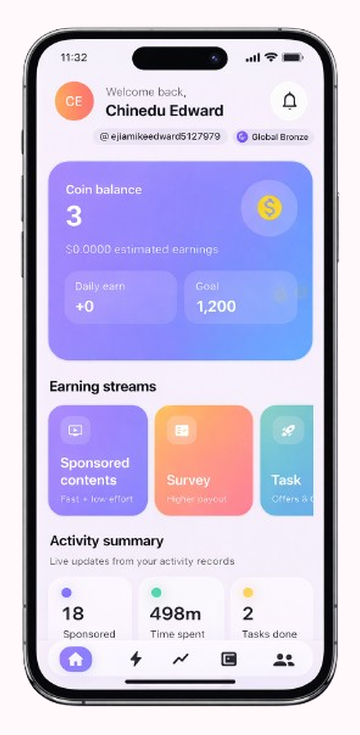
1 Open your profile

Tap the orange profile button from the home screen to reveal account and legal options.

2 Choose delete account

Select the delete option, pick a reason, and confirm that you understand the request is permanent.

3 Verify by email

Enter the one-time code sent to your email, then the app finishes the deletion and signs you out.

Request by email
Earnely home screen showing the profile button that starts account deletion
01

Tap the orange profile button

Start from the home screen, then open your profile so the delete option becomes available.
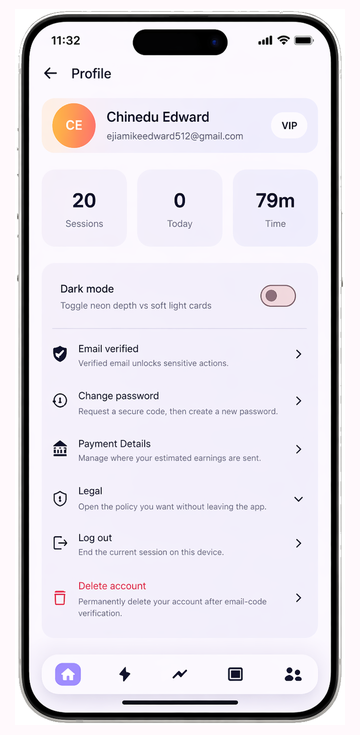
Earnely profile screen showing the delete account option
02

Select Delete account

Choose the delete action from the profile menu, then pick a reason so the app can prepare the confirmation step.
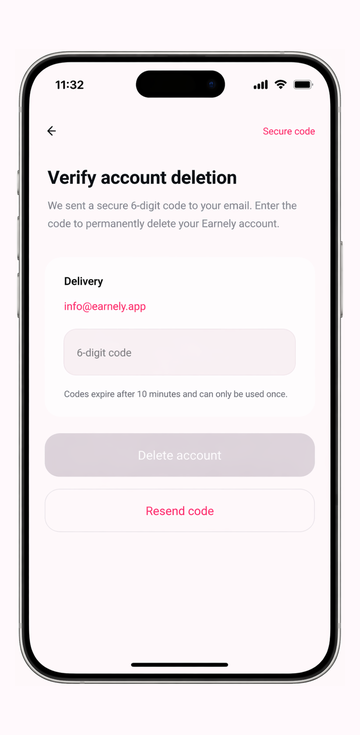
OTP verification screen used to confirm account deletion
03

Verify the one-time code

Enter the email code to permanently delete the account and finish the secure verification flow.

What happens when you delete your account

Earnely removes your account only after the secure email code is verified. The deletion process is designed to be clear so you know what is removed before the account is permanently deleted.

  • ProfileYour name, email, phone number, and account identifiers are deleted.
  • WalletYour payout details, balance history, and linked banking information are removed.
  • ActivityReward sessions, ad activity, survey activity, task history, streaks, and leaderboard records are deleted.
  • Sign-inYour authentication record is removed and you are signed out of the app.

Important notes

Deletion is permanent. After the secure confirmation step, the account cannot be restored or recovered later.

  • PermanentThe process cannot be reversed once the email code is verified.
  • No retentionEarnely does not retain personal information after verified account deletion is completed.
  • PaymentsAny approved payment or remaining eligible balance should be resolved before you complete deletion.
  • AccessYou need access to your registered email address to receive the one-time code.
Deleting the Earnely app from your phone does not delete your account. If you cannot access the app, email info@earnely.app from your registered email address to request account and data deletion.
Need help? If you're having trouble or need assistance, our support team is here for you.
Contact Us